How to Use the CORT Events Digital Catalog to Source Smarter and Plan Faster
Event sourcing requires more than selecting furniture. Event planners, trade show teams, and exhibit agencies are expected to move quickly from concept to execution while balancing evolving requirements, stakeholder expectations, and compressed timelines.
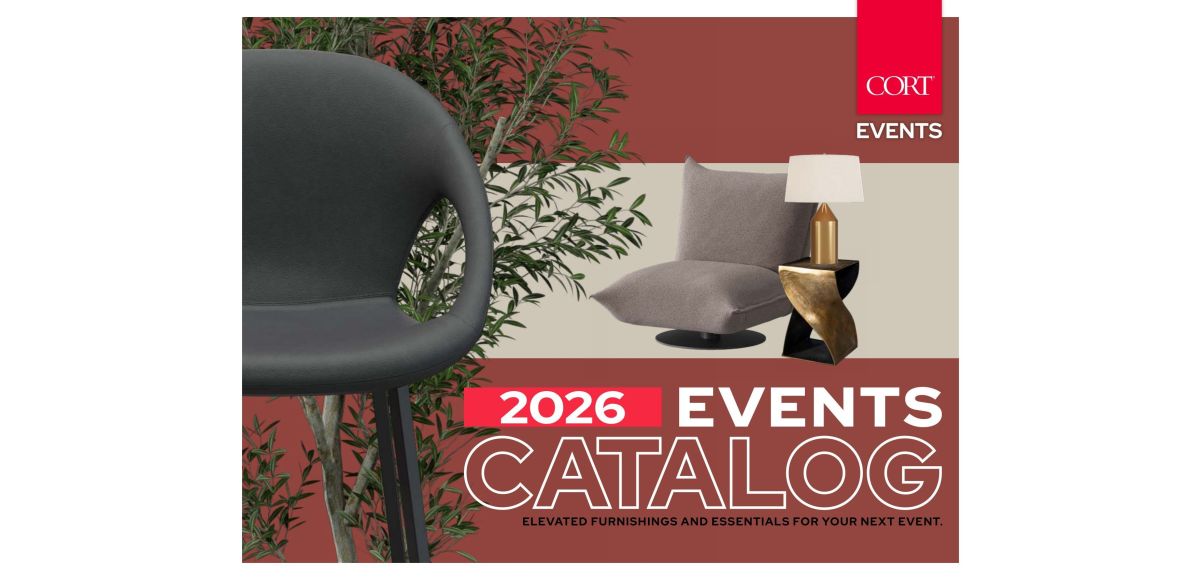
The CORT Events Digital Catalog is an interactive digital sourcing tool featuring the full 2026 event furniture rental collection across 26 categories, from soft seating and bars to lighting and greenery. Built for event planners, exhibit agencies, and production teams, it combines the visual experience of a catalog with planning tools that support faster decisions, including search, bookmarks, in-page notes, and direct access to product details.
The 2026 edition introduces refreshed inventory, expanded outdoor offerings, additional powered solutions, and new accent pieces designed to support evolving event environments.
Whether you are sourcing for a corporate event, designing a tradeshow environment, or developing a branded exhibit experience, this guide walks through how to use the catalog to streamline decision-making and create more intentional event environments.
Key Takeaways
-
Navigate inventory efficiently using visual and search-based discovery tools.
-
Save time by organizing furnishing selections directly within the catalog.
-
Move seamlessly from product exploration to sourcing and quote development.
-
Extend planning beyond selection by validating layouts and event flow.
Start With the Navigation Method That Matches Your Planning Stage
The Digital Catalog supports multiple ways to explore inventory depending on where you are in the planning process.
Browse page by page for visual inspiration
When developing concepts or exploring possibilities across categories, use the spread view to move through the catalog the same way you would browse a design publication.
Use the forward and back arrows in the toolbar or along the page edges to move through spreads and discover complementary products, layouts, and styles.
This approach works especially well during early concept development when visual storytelling matters as much as product selection.
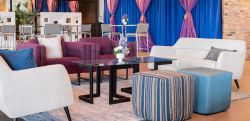
For example, teams exploring lounge environments may discover new introductions like the New Arrival Columbia Chair while browsing seating collections, which helps establish visual direction before narrowing selections.
Jump directly from the Table of Contents for targeted sourcing
When categories are already defined, navigate directly from the interactive Table of Contents. Click any category listing to jump immediately to that section of the catalog rather than manually moving page by page.
This approach is ideal when timelines are compressed and sourcing decisions need to happen quickly.
Use thumbnail view to compare options faster
Click the grid icon in the toolbar to open the thumbnail view and display the full catalog at a glance.
Thumbnail browsing allows teams to compare multiple pages quickly, identify patterns across categories, and move efficiently between furnishing directions.
Use this method when:
-
Building early concepts
-
Comparing categories
-
Reviewing options collaboratively
Search by Keyword to Reduce Sourcing Time
Once design direction is established, search becomes the fastest way to move from inspiration to decision-making.
Click the magnifying glass icon to open the search panel.
Enter a keyword (product name, product code, fabric, finish, or category) and the catalog returns thumbnail previews of every page where that term appears.
Select any thumbnail to jump directly to that page, with your search term remaining highlighted so you can continue evaluating options without restarting your search.
For example, searching “leather” allows teams to surface leather products across multiple catalog sections in one workflow, making it easier to compare options, evaluate finishes, and move efficiently from inspiration into sourcing.
Search can also help expand a design direction once a product catches your attention. If you discover the Sorrento Barstool and want to see additional pieces within that collection, type “Sorrento” into the search panel. The catalog will surface every relevant page featuring products from the Sorrento family (such as the Sorrento Swivel Chair), making it easier to explore coordinating pieces and create a more cohesive event environment.
Use the search feature when you need to:
-
Locate a specific product type or material quickly
-
Compare configurations across categories
-
Confirm options during stakeholder review
-
Shorten sourcing time under tight timelines
Move From Discovery to Product Evaluation Without Leaving Your Workflow
Once selections begin to take shape, the next step is moving from inspiration into informed decision-making.
Click any product image within the catalog to open its full product detail experience directly inside the catalog environment.
From there, you can:
-
Review product specifications
-
Explore available finishes and colors
-
Evaluate fit for your environment
-
Begin the quote process
This creates a more connected sourcing experience and reduces the need to navigate across multiple tools or browser tabs.
For example, when looking at the Chelsea Barstool on page 59, you have the option to view available color options in one view, helping maintain design consistency while simplifying approvals.
The result is faster evaluation and more confident decisions.
Turn the Catalog Into an Active Planning Workspace
Event sourcing rarely happens in a single session.
Selections evolve as approvals, budgets, layouts, and attendee needs develop and the catalog includes tools that help teams stay organized throughout that process.
Save pages with bookmarks
Click the bookmark icon in the toolbar to save the current page for later review.
Use bookmarks to build working collections by event zone, furnishing category, or project phase.
Add notes directly to catalog pages
Click the pencil icon, select Add, and place a note anywhere on the page.
Use notes to capture:
-
Client feedback
-
Quantity requirements
-
Styling direction
-
Delivery considerations
-
Internal approvals
Notes remain attached to the page and persist across different browsing sessions, allowing teams to continue planning without recreating context.
Instead of managing screenshots, PDFs, and email threads separately, these tools keep sourcing decisions connected and actionable.
Use Product Features to Design More Intentional Event Environments
Throughout the catalog, product indicators help identify solutions aligned to event goals and operational requirements.
Use the catalog legend to quickly identify:
-
Powered: Products with integrated charging, outlets, or lighting that support productivity and guest convenience.
-
Outdoor: Furnishings designed to extend experiences beyond traditional interiors.
-
Personalizable: Solutions that support branding opportunities and customized environments.
-
Lighted: Pieces that introduce atmosphere and create visual impact.
For example, teams designing hospitality environments or networking spaces may explore additions like the New Arrival Aurora Table Lamp to layer functionality with ambiance while maintaining a polished event aesthetic.
These details help ensure furnishing decisions support both experience and performance.
Plan Faster. Execute With Confidence.
The most effective sourcing tools do more than display inventory, they support faster decisions, stronger collaboration, and more intentional event outcomes.
The CORT Events Digital Catalog helps event professionals move efficiently from discovery to selection and from planning to execution through interactive sourcing, organization tools, and connected planning experiences.
Explore the 2026 Digital Catalog to begin building your next event environment and connect with CORT Events to transform ideas into spaces that inspire meaningful experiences.